Samsung Health redesign in 2026 changes layout and navigation
Samsung Health redesign adds color, new navigation, and flexible charts in 2026, but older devices and chart consistency still need work.
JAKARTA — Samsung Health redesign in 2026 changes layout and navigation with a brighter interface, a top shortcut bar, and cleaner category groupings, but the update also introduces chart limits and device mismatches that may frustrate some users.
A hands-on report from Android Authority suggests the new version is more than a visual refresh. For Galaxy phone and Galaxy Watch owners who check steps, sleep, heart rate, and body composition every day, the app’s new structure will shape how quickly they can make sense of their own data.
Samsung Health redesign in 2026 changes layout and navigation
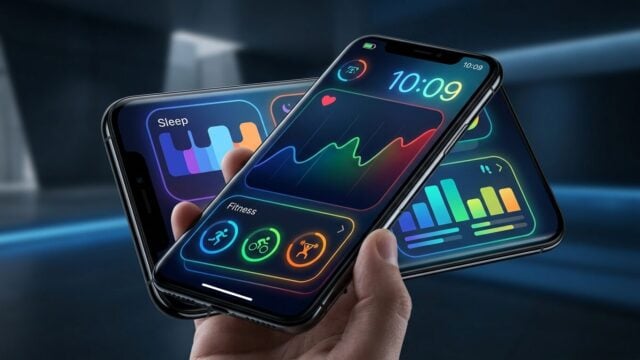
The first thing users will notice is the look. Samsung has moved away from the calmer, more functional style of earlier versions and pushed harder on color, with brighter cards, a more vivid background, and charts that stand out much more sharply on screen.
That gives the app a fresher feel. It also makes it busier.
According to Android Authority, the first reaction from its tester was not especially positive. The colors, the outlet said, can feel like they were chosen for visual impact rather than readability. Older color cues were easier to decode at a glance. Green meant activity. Blue suggested sleep. In the new version, that logic is weaker.
Calories and sleep score now use purple. Exercise and body composition appear in blue. Stress and food are marked in orange. The result is lively, but not always intuitive. In a health app, that matters. Users open the app for speed and clarity, not decoration.
Shortcut bar makes core health data easier to reach
The more useful change sits at the top of the screen. Samsung has added a shortcut bar that jumps directly to major sections such as Activity, Sleep, Vitals, Mindfulness, and Nutrition. A dashboard option also returns users to the home view, where widgets can be reordered and resized.
This is where the redesign starts paying off. Instead of digging through menus, users can move straight to the metric they care about. Need a sleep check? Open Sleep. Want a heart-rate view? Go to Vitals. Looking for food logs? Nutrition is now easier to spot.
The cleaner menu structure should help people who use Samsung Health daily, especially those who track several health categories at once. Small shortcut changes often decide whether an app feels useful or annoying. This one looks like a real improvement.
Android Authority said search still feels too limited, though. As health tracking expands, a stronger search tool would help users jump directly to a specific measurement or page. Right now, the new layout makes things easier, but not fully effortless.
Charts are more flexible, but uneven
The charts are the most interesting part of the update. Samsung Health now supports pinch-to-zoom in some views, letting users narrow the time range and inspect more detailed patterns. That can be helpful when someone wants to look closely at a week of sleep, exercise, or heart-rate data.
But support is inconsistent. Sleep charts still show restless moments during the night, yet users cannot zoom in on a specific hour to study what caused the disruption. Heart-rate charts during sleep and blood oxygen during sleep also do not support zooming everywhere.
Oddly, awake heart-rate and blood oxygen charts can be zoomed. So the feature exists. It just does not work consistently across the app. That kind of partial rollout often frustrates users more than a feature that is missing entirely, because the benefit is visible but not reliably available.
Samsung’s comparison tools show the same unevenness. The app includes a “Compare data” option on some pages, but it only compares metrics inside the same category. Users can compare sleep time with sleep score. They still cannot easily compare steps with sleep, or exercise with body composition, to see how habits connect across categories.
Why older devices still matter
Android Authority also noted that the redesign appears tied to Samsung’s next health features in One UI 9 and future wearables, including the Galaxy Watch 9. That means the app is being built with newer hardware in mind, even if millions of users will keep using older models.
The compatibility gap is easy to spot. A tester using a Galaxy Watch 4 still saw new feature widgets on the dashboard even when the watch could not support them. That creates a confusing experience. Users can see tools they cannot use, and the app does not always make that limitation clear.
Samsung could solve part of that by hiding unsupported widgets or labeling them more clearly. That would make the dashboard cleaner and avoid the feeling that a device is missing something important. For a health app, honesty about hardware limits matters almost as much as the data itself.
For readers and consumers, this update has a direct impact. A smartwatch is no longer just a status gadget for many people; it is a daily health check. When the interface is crowded, users may miss patterns in sleep or exercise. When navigation is smoother, they can find those patterns faster and act on them sooner. That is the real value of a redesign like this.
Samsung Health still has a strong base. It offers deep Galaxy ecosystem integration, broad feature coverage, and flexible widgets. But the 2026 update shows the balance Samsung still has to get right: more color does not automatically mean better design, and more data does not help if users cannot read it cleanly. Android Authority summed up its hands-on with a mixed verdict, saying, “There’s good, there’s bad,” after several hours of use.