How to Check 2026 Desil Online Using NIK on Cekbansos
Check 2026 desil online using NIK on Kemensos’ Cekbansos site and app. See who qualifies for PKH, BPNT, and PBI JK.
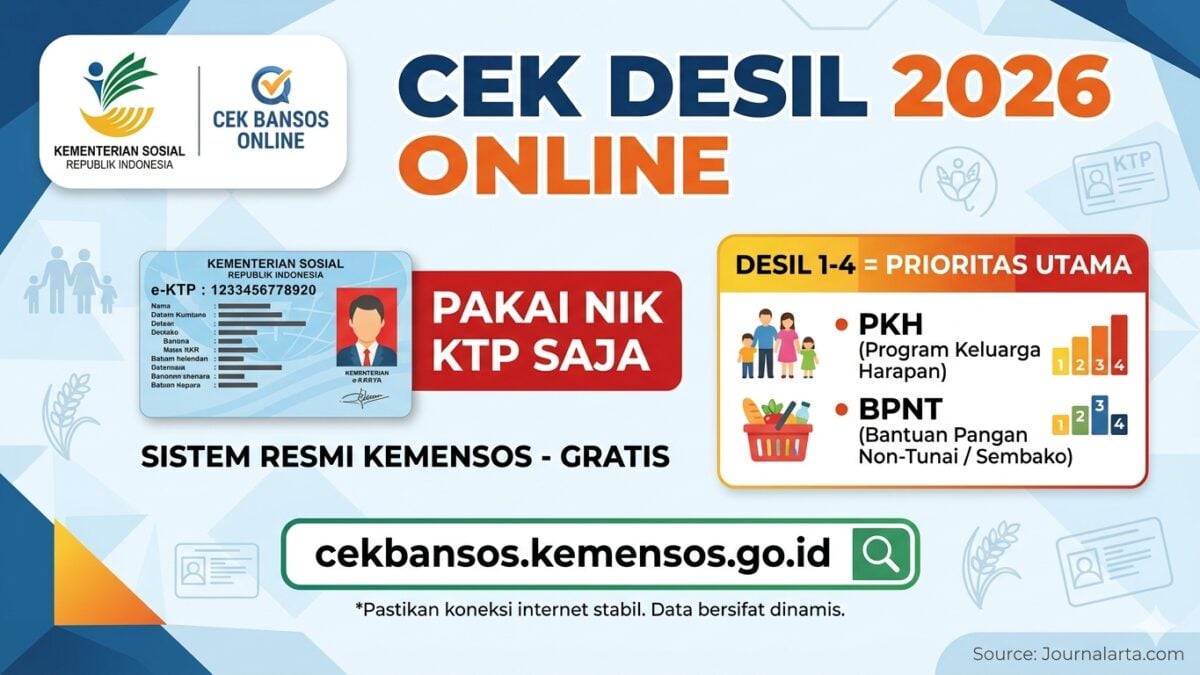
JAKARTA, JOURNALARTA.COM - Desil welfare status can now be checked from home using only a KTP NIK, with no need to queue at the village office. This matters: recipients of PKH, BPNT, and PBI JK in 2026 are selected from Desil 1 to 4 in the Ministry of Social Affairs’ National Socioeconomic Single Data, or DTSEN.
That means if your name or your family’s data does not fall into the right desil group, social assistance worth hundreds of thousands to millions of rupiah a year could be missed entirely. The Ministry of Social Affairs has made the check publicly available through cekbansos.kemensos.go.id and the free “Cek Bansos” app, with no broker and no fee.
What Desil and DTSEN Mean
Desil is a system that divides the population into 10 groups based on welfare level. Desil 1 is the poorest 10 percent of residents; Desil 10 is the most well-off 10 percent. The lower the desil number, the greater the chance of receiving state aid.
DTSEN itself is Kemensos’ new database that combines three sources: DTKS (Integrated Social Welfare Data), Regsosek (BPS Social and Economic Registration), and P3KE. This is now the single reference for distributing PKH, BPNT, and National Health Insurance contribution assistance, or PBI JK.
One thing to keep in mind: desil data changes over time. BPS updates the data every three months. A person can move up a desil group if their condition improves, or drop if their situation worsens. That is why routine checks make more sense than checking once and forgetting it.
| Desil | Group | Priority Programs |
|---|---|---|
| 1-4 | Poorest to vulnerable poor | PKH, BPNT, PBI JK |
| 5 | Near vulnerable | Potential PBI JK |
| 6-10 | Middle to upper income | Generally not prioritized |
What to Prepare Before Checking
Prepare four things before opening the site: a 16-digit NIK from your KTP, your full name exactly as written on the ID card, your regional address data (province, regency/city, district, and village/subdistrict), and an internet connection on a phone or laptop.
No other documents are needed. No registration. You can check right away.
How to Check on cekbansos.kemensos.go.id
This is the fastest method because you do not need to create an account. Open a browser on your phone or laptop, type https://cekbansos.kemensos.go.id, and make sure the spelling is correct so you do not land on a fake site.
Once the page opens, fill in the location fields in order: Province first, then Regency/City, District, and Village/Subdistrict, all matching your KTP. Enter your full name in the available field. One typing error, even an extra space, can make the name disappear from the search.
Type the captcha code shown on the screen. If the letters are blurry, click the refresh icon to get a new code. Then click the "Cari Data" button and wait a few seconds.
If you are listed, the system will show the name, the type of assistance received (PKH/BPNT/PBI JK), and disbursement status. One important note: the exact desil number, such as "Desil 1" or "Desil 2," is usually visible in full only to village operators through the SIKS-NG system. On the public site, what usually appears is only the status "registered in DTKS/DTSEN," which in practice means inclusion in Desil 1-4. If you need the exact desil number, visit your village or subdistrict office.
How to Check Through the Cek Bansos App
Download the "Cek Bansos" app from the Play Store (Android) or App Store (iOS) and make sure the developer is listed as the Ministry of Social Affairs of the Republic of Indonesia. Create an account by preparing your NIK, family card number, photo of your KTP, and a selfie.
After logging in, open the "Profil" menu to see your desil category, or the "Cek Bansos" menu to check active assistance status. The app also offers an Usul/Sanggah feature, useful if the data shown does not match your actual condition.
What the Results Mean
Two outcomes may appear. First, if your name and the status "YA" appear, it means you are registered in DTKS/DTSEN, most likely fall within Desil 1-4, and have a chance to receive social assistance. Second, the note "Tidak Terdapat Peserta/PM" means you are not yet registered, either because you are considered financially better off (Desil 5 and above) or because the data has not entered the system yet.
If you believe you qualify but do not appear in the system, do not stay silent. Submit a complaint through the Usul/Sanggah feature in the Cek Bansos app, or report directly to the village office and request a re-survey by BPS and the Social Affairs Agency. Verification usually takes up to 30 working days.
Beware of Scams Pretending to Check Desil
One firm warning: the only official checking site is cekbansos.kemensos.go.id. There is no fee of any kind in this process. Fake sites and so-called paid "desil checking services" have spread on social media, and all of them are scams. The Ministry of Social Affairs never asks for payment to register or check social assistance.
Because desil data is updated every three months by BPS, check it regularly. A status that says "not registered" today may change after the next update, especially for families that have recently gone through major economic changes.