10 Trusted Cybersecurity Apps for Indonesians in 2026
Cybersecurity apps can help Indonesians protect accounts, devices, and private data. Here are 10 trusted picks for 2026.
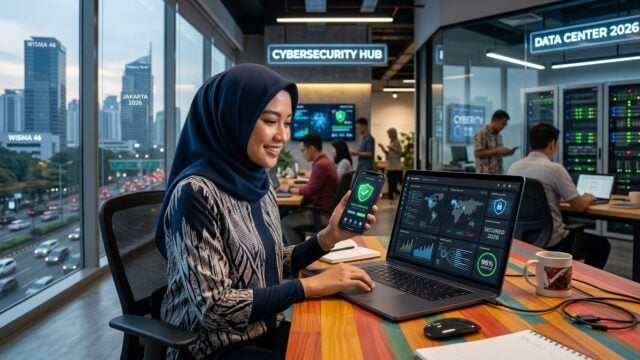
JAKARTA, JOURNALARTA.COM - Cyberattacks in Indonesia rose 47% throughout 2025, and the main targets are not large companies but ordinary users who often overlook digital security. The right protection app can be the thin line between safe data and a compromised account.
The National Cyber and Crypto Agency (BSSN), in its 2026 Indonesian Digital Security Report, said phishing, credential theft, and malware distribution still dominate the threats faced by internet users in the country. The worrying part: many victims do not realize their devices have already been compromised until the damage is done.
Here are 10 cybersecurity apps and services that have proven reliable, are widely recommended by security experts, and meet national or international standards, grouped by function.
Antivirus and device security
Three names consistently appear in the top tier of independent AV-TEST and AV-Comparatives reviews, two of the world’s most respected antivirus testing bodies.
1. Bitdefender Antivirus
Its threat detection is highly accurate, even for newly emerging malware. What sets Bitdefender apart from rivals: it is light. Laptop performance does not feel sluggish while scans run in the background. It also includes special protection for online banking transactions. A free version is available for basic needs, while paid plans cover broader protection. Compatible with Android, iOS, Windows, and macOS.
2. Kaspersky Security Cloud
Kaspersky has received BSSN certification, which means the product has passed evaluation by Indonesia’s cyber security authority. Its real-time protection can detect AI-based attacks that are now increasingly common. It suits users who routinely make online transactions or store sensitive data on their devices. Available across all major operating systems.
3. Windows Defender / Microsoft Defender
Free. Already installed automatically. Continuously updated through Windows Update. For home use with normal digital habits, Defender is more than enough as long as users do not neglect operating system updates. Compatible with Windows 10 and 11.
Password managers
Most account breaches happen not because a system is hacked, but because users reuse the same password across many platforms. Password managers solve that problem.
4. Bitwarden
Open source. That means anyone can inspect the code, and the global security community helps keep watch. Its encryption is strong, the free version is generous, and syncing across devices works smoothly. Many security experts recommend Bitwarden precisely because of its transparency. Available on all devices and popular browsers.
5. 1Password
Its interface is friendly even for users who are not used to technical apps. It includes secure password sharing for families or work teams, plus encrypted data backup. A paid service with a free trial period. Compatible with Android, iOS, Windows, and macOS.
VPNs for safer connections
Public Wi-Fi in cafes, airports, or malls is a playground for hackers. VPNs encrypt data traffic so information sent over the network cannot be intercepted along the way.
6. Proton VPN
Developed in Switzerland, a country known for some of the strictest privacy rules in the world. Its no-log policy has been audited by a third party. It offers a free version with no time limit, which is rare in the VPN industry. Compatible with all devices.
7. NordVPN
Fast connection, strong encryption, and a server network spread across more than 60 countries. It includes Threat Protection, which automatically blocks harmful ads and phishing domains. It is a paid service, but promotions often cut the price significantly.
Two-factor authentication
A password alone is not enough. Two-factor authentication (2FA) adds another layer of protection: even if a password leaks, hackers still cannot get in without the verification code from your device.
8. Google Authenticator
Generates a six-digit code that changes every 30 seconds. Free, ad-free, and works with thousands of services from social media to banking. It is effective at preventing unauthorized access even when someone already knows your password.
9. Microsoft Authenticator
A strong alternative integrated well with the Microsoft ecosystem, but it also supports many other platforms. The interface is simple, and it includes encrypted backup features that help when switching phones.
Official services for verification and reporting
10. BSSN and Aduan Konten
Not an app in the traditional sense, but these two portals are essential for every internet user in Indonesia. The bssn.go.id website provides tools to check whether a link or service looks suspicious. Meanwhile, aduankonten.id is the official channel for reporting fraud, phishing, or cybercrime content. Reports from the public help BSSN respond faster.
What to check before downloading
Download only from Google Play Store, App Store, or the developer’s official website. Avoid APK links shared in WhatsApp groups or on unfamiliar sites; that is one of the most common ways malware gets onto devices.
Pay attention to the permissions an app requests. Antivirus apps do not need access to your photo gallery or contact list. If an app asks for that kind of access, that is a warning sign.
Be careful with "fully free" security apps that do not clearly explain how they make money. Security services require real operational costs. If nobody is paying, usually the user is the product. Read other users’ reviews and check the developer’s reputation before installing.
One thing many people forget: update security apps regularly. Cyber threats keep evolving, and routine updates help apps recognize newer attack patterns.
Cybersecurity apps FAQ
Is the free version safe enough?
For basic everyday needs, yes. Bitdefender’s free version, Bitwarden Free, and Proton VPN Free already provide decent protection. Paid versions add advanced features such as deeper threat scanning, unlimited password storage, or higher VPN speeds.
Do I need to use a VPN every day?
Not necessarily. But turn it on when connecting to public Wi-Fi, accessing banking accounts from an unfamiliar network, or trying to keep your online activity private. At home, with a secure router, VPN use is optional.
What is the difference between Bitwarden and 1Password?
Both are safe and well tested. Bitwarden is more affordable because its free version is very complete and its code is open for review. 1Password is easier for beginners and offers more intuitive password sharing for families or small teams.
How do I report a suspicious app or website?
Go directly to aduankonten.id or use the official complaint channel at bssn.go.id. Public reports help speed up the blocking of harmful content.
Cyber threats will not stop evolving; they are getting more sophisticated as criminals make greater use of artificial intelligence. Starting with one or two apps from this list today is far better than waiting until your data has already been leaked.