iFixit Gives Touchscreen MacBook Pro 5 of 10 for Repairability
iFixit has taken apart Apple's first touchscreen MacBook Pro, the model with the PROLED XDR Display. It found four LEDs behind the glowing Apple logo, a lighter chassis and a repairability score of 5 out of 10, one point above last year's M5 model.
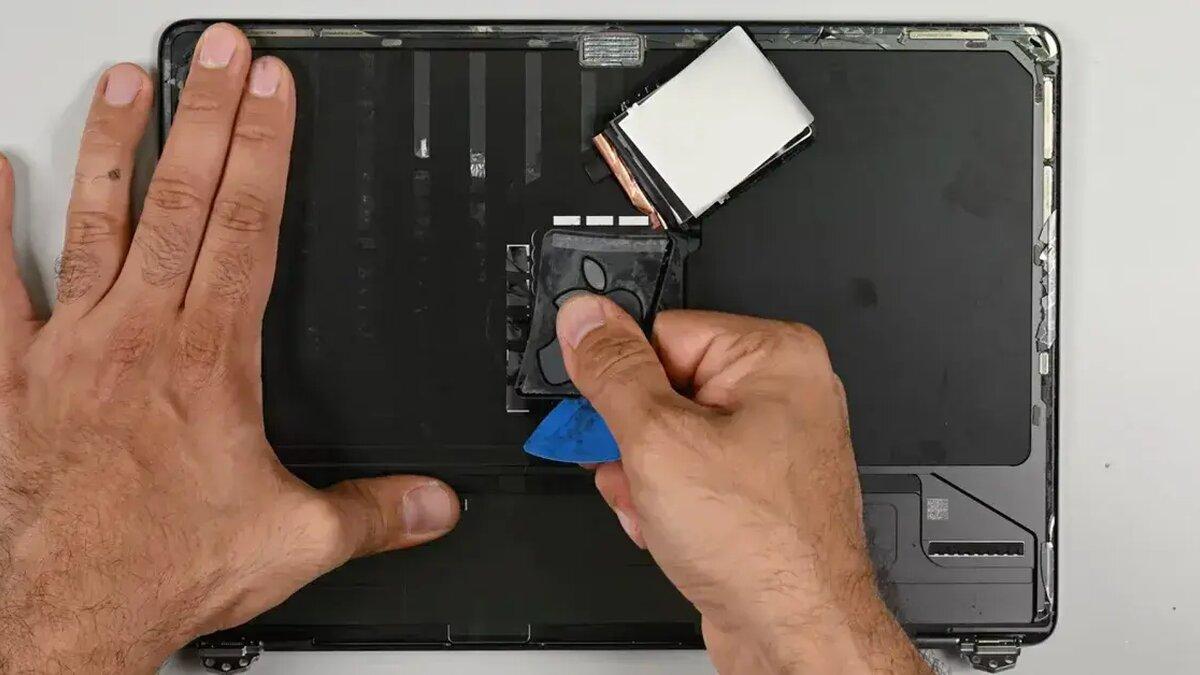
iFixit tears down the touchscreen MacBook Pro, Apple's new MacBook Pro with PROLED XDR Display, and gives it a repairability score of 5 out of 10. That is one point higher than last year's M5 MacBook Pro and one point below the cheaper MacBook Neo.
The teardown also shows how Apple brought back the glowing logo on the lid.
How the glowing logo works
Older MacBooks lit the logo with the display's backlight, through a cutout in the lid. OLED screens have no backlight, so Apple built a separate light source.
iFixit found a strip of four LEDs behind the display. A reflective layer and a diffuser spread the light evenly across the logo.
The logo has a coating that works "like a two-way mirror," according to iFixit. It looks shiny and metallic when the LEDs are off and lets light through when they are on.
Getting to the assembly was costly. iFixit destroyed the OLED panel while reaching it and asked whether anyone had removed one intact. Because the module sits behind the screen, it is effectively impossible to replace on its own.
Tandem OLED and a lighter body
The display uses tandem OLED, which stacks two light-emitting layers for higher brightness than a single-layer panel. Under a microscope, iFixit saw that the blue subpixels are larger than the red and green ones. The repair site says that should reduce strain on the materials and could extend the screen's life.
The 14-inch model weighs 1.38 kg (3 pounds). Apple cut 92 grams from the aluminum chassis and 101 grams from the display assembly, even with touch added. The battery is 2 grams lighter and the slightly smaller trackpad saves 8 grams.
Repair limits
Opening the machine is a little easier. The bottom lid now uses four screws instead of eight, according to the teardown.
Little else gets easier. Replacing the USB-C ports, fans or headphone jack still means removing the entire logic board, even though the ports and fans can be swapped independently. The HDMI port, SDXC card slot, RAM and storage remain soldered to the board.
iFixit also swapped logic boards between two MacBooks. Last year's M5 MacBook Pro failed Touch ID calibration through Apple's Repair Assistant software. This model recognized the battery, display and Touch ID sensor after the swap, and True Tone, brightness controls and the touchscreen all worked.
iFixit was also able to enroll a fingerprint with the donor board installed.
The teardown notes that the hinge was reworked so the display wobbles less when tapped. The full teardown video is on iFixit's channel.