How to Download the 2026 SMP OSN-K Certificate: Puspresnas Portal Link
Download the 2026 SMP OSN-K certificate from the official Puspresnas portal. Check the schedule, login steps, and troubleshooting tips.
Certificate Release Schedule
According to Puspresnas’ official schedule, the OSN-K announcement was released on June 26, 2026. The digital certificate is scheduled to appear between H+3 and H+7 after the announcement, or June 29 to July 3, 2026. The download deadline runs until the National Final, on August 31, 2026.
One important note: the Puspresnas server often gets crowded when the certificate first goes live. If the certificate still does not appear on July 3, try again a few days later.
Portal Link and Login Access
There are two official addresses that can be accessed:
- portalpuspresnas.kemdikdasmen.go.id
- pusatprestasinasional.kemendikdasmen.go.id
Be careful with fake sites circulating on social media. Use only the two links above.
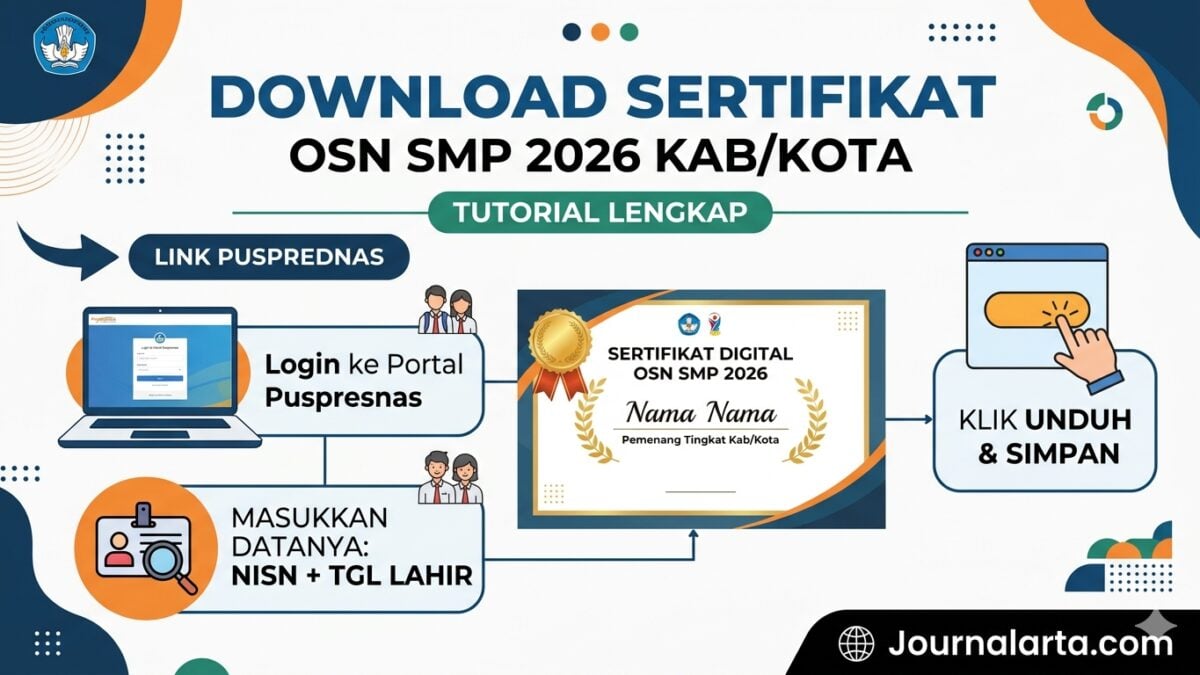
After entering the portal, click the Digital Certificate or Download Certificate menu. Select SMP/MTs level, year 2026, then the district/city stage. Log in using the 10-digit NISN and the date of birth in YYYY-MM-DD format exactly as recorded in Dapodik.
Steps to Download the 2026 SMP OSN-K Certificate
Prepare two main pieces of data before starting: NISN and the date of birth as listed in Dapodik. A single wrong digit can cause the login to fail.
Once the system opens, it will display participant data such as name, school, competition field, and advancement status. Check everything first. If it is correct, click Download Certificate and the PDF file will be downloaded immediately. Save the file with a structured name, for example Sertifikat_OSN-K_SMP_2026_Name_NISN.pdf, so it is easy to find when needed.
Puspresnas issues two types of certificates. The Participant Certificate is given to all OSN-K students and includes the digital signature of the Head of Puspresnas. Meanwhile, the OSN-P Winner/Qualifier Certificate includes the additional note “Qualified for Provincial Level” along with the district/city ranking for those who place in the top three.
Printing Tips for Better Results
Use 80-gram HVS paper in A4 size, or 210-gram certificate paper for a more premium result. Print in color with the High Quality setting. On legality, the digital signature and QR code already make the document legally valid, so no wet stamp from the school or education office is needed.
After printing, lamination is optional. It costs around Rp5,000 at a nearby copy shop and makes the document much more durable. Do not forget to keep the original PDF file in Google Drive and on a flash drive as backup.
What to Do If the NISN Will Not Log In
Login problems caused by a mismatched NISN or birth date are fairly common. First, ask the school operator to check the data at vervalpd.data.kemdikbud.go.id and make sure the birth date format used in Dapodik is correct.
If the data is correct but the login still fails, try switching browsers to Chrome or Firefox. A heavy cache can sometimes cause the problem. If all steps have been tried and the issue remains, contact Puspresnas directly via email at [email protected] and include the NISN and the participant’s full name.
The 2026 OSN-K SMP digital certificate carries legal force equivalent to a conventional printed document. The QR code on it can be scanned anytime to verify authenticity, which matters when the certificate is used for scholarships or admissions to top schools.