
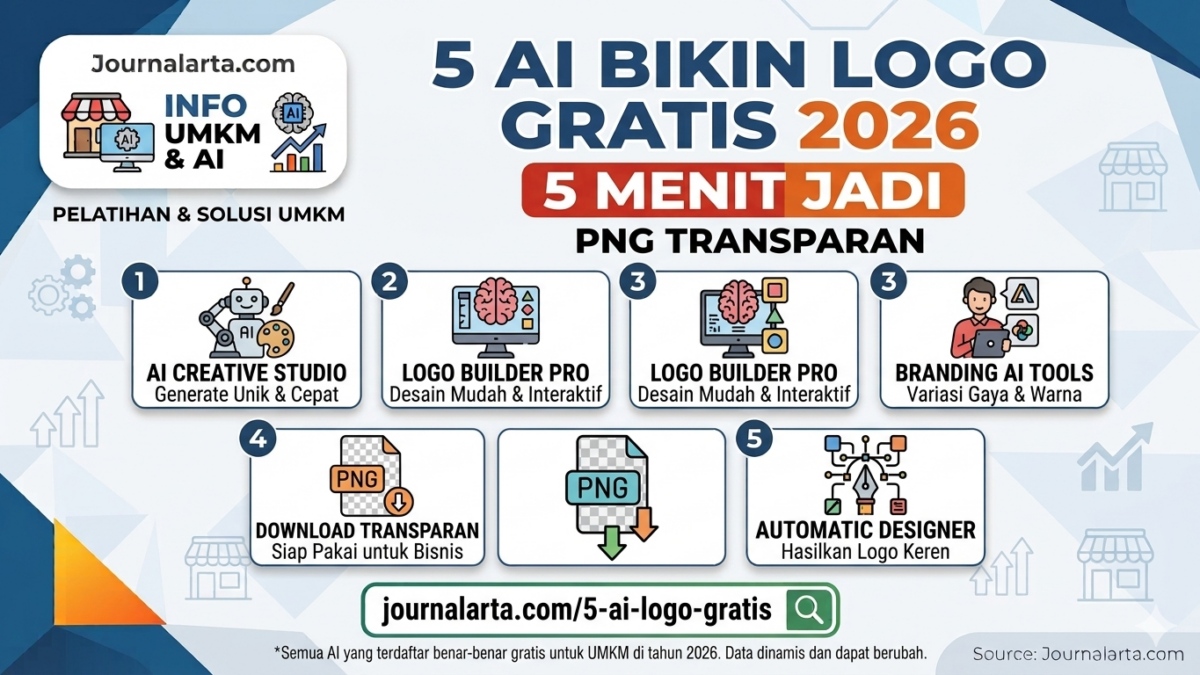
JAKARTA — Free AI logo makers are now a fast way for MSME owners to create a store identity without paying large design fees. Type in a business name, choose a style, and the logo can be downloaded as a transparent PNG in just minutes.
For sellers on Shopee, TikTok Shop, and small online stores, a logo is more than decoration. A clean visual identity helps a shop look more professional, easier to remember, and better suited for profile photos, banners, and product watermarks.
Why MSMEs need their own logo
A logo is often the first impression for potential buyers. When people open a store page, they usually notice the name, product photos, and the visual symbol shown in the profile. If the look feels messy, trust can drop before customers even read the product description.
That is why many small business owners are looking for cheaper shortcuts. In the past, making a logo often meant paying a designer hundreds of thousands of rupiah. Now, free AI logo makers make the process much easier, especially for beginner sellers still managing their capital.
But instant logos still have limits. The results are quick, yet they can feel similar to other templates. At this point, MSME owners need to change the colors, fonts, and icons so their store identity does not look generic.
5 free AI logo platforms widely used
The following sites are often used to make business logos quickly. Each has its own strengths, especially for users who want a basic result without spending much.
| Platform | Strength | Free format |
|---|---|---|
| Canva AI Logo Maker | Easy to use, good for beginners | Transparent PNG, JPG |
| Looka Logo Maker | Fairly varied icon and slogan options | Low-res PNG |
| Logo.com by Namecheap | More flexible color and font editing | SVG, HD PNG |
| Microsoft Designer AI | Prompts can be made more specific | Transparent PNG |
| Hatchful by Shopify | Neat for online stores and e-commerce | PNG, ICO |
Canva and Logo.com are often chosen because their free results are the most practical for basic needs. Canva stands out for easy editing, while Logo.com gives users more room to try several design variations.
Looka works well for an initial concept. Shopify’s Hatchful is also useful for sellers who need a quick file for a store avatar and basic promotional assets. Microsoft Designer can be used when a user wants to create a logo through more specific text prompts.
How to make a store logo in 5 minutes
The simplest example can be done in Canva. First, open the site and sign in with a Google account. Then type the store name you want to use, for example, “Mbak Sari Collection.”
Next, write a clear prompt. For example: logo for a modest gamis clothing store, name Mbak Sari Collection, pastel colors, elegant font, hijab icon. From there, choose the design that best matches the business character.
Do not stop at the first template. Change the color, adjust the font size, or add a small element so the result feels more unique. After that, download it as a PNG and turn on the transparent background so the logo works well in profile photos and product watermarks.
The same process applies on other platforms. The core steps are the same: type the name, choose a style, then edit lightly. It is not complicated. And there is no need to learn Photoshop first.
What to check before using it for selling
AI logos are useful, but users should not use them blindly. The same template can appear on many other accounts. That means the chance of your logo looking similar to another store is still real.
That is why a simple safety step helps. Change the font, adjust the colors, and avoid generic icons without a personal touch. If you sell meatballs, for example, add an element relevant to the product. If you sell Muslim clothing, choose shapes that fit the store’s branding.
A legal check also matters. Avoid logos that resemble major brands such as Apple, Nike, or other widely recognized symbols. For trademark registration with Indonesia’s Directorate General of Intellectual Property (DJKI), logos that look too similar can be seen as lacking distinctiveness.
If the goal is only to use the logo in an online store, AI results are usually enough. But once the business becomes more serious and you want to register it as a trademark, a more careful review and consultation with someone who understands intellectual property is the safer route.
Right size and format for Shopee and TikTok Shop
For online store use, a transparent PNG is the safest format. The profile image size is usually small, so the logo does not need to be too busy. Too much detail will only make it look blurry when placed in an avatar.
On Shopee, a neat logo usually looks fine even after being compressed to a small size. TikTok Shop also demands a simple design because avatars are only seen for a moment. One clean logo is far more effective than a complicated design full of ornaments.
For MSMEs, that is good news. They can move quickly without waiting for design funds. But the final result still needs filtering. Do not stop just because it is free. A good logo still has to be readable, easy to recognize, and used consistently across all selling channels.
If handled carefully, free AI logo makers can become a strong first step toward building a business identity. Fast. Affordable. And still able to look professional.

📝 Leave a Comment
Comment as . Reviewed by an admin before it appears.