HeliBoard Offers Android Users a Private Keyboard Outside Google Play
HeliBoard, a free open-source Android keyboard with no data collection and no internet access requirement, is not on the Google Play Store. Users can install it through GitHub, Obtainium or F-Droid. It trades some typing accuracy and voice features for privacy.
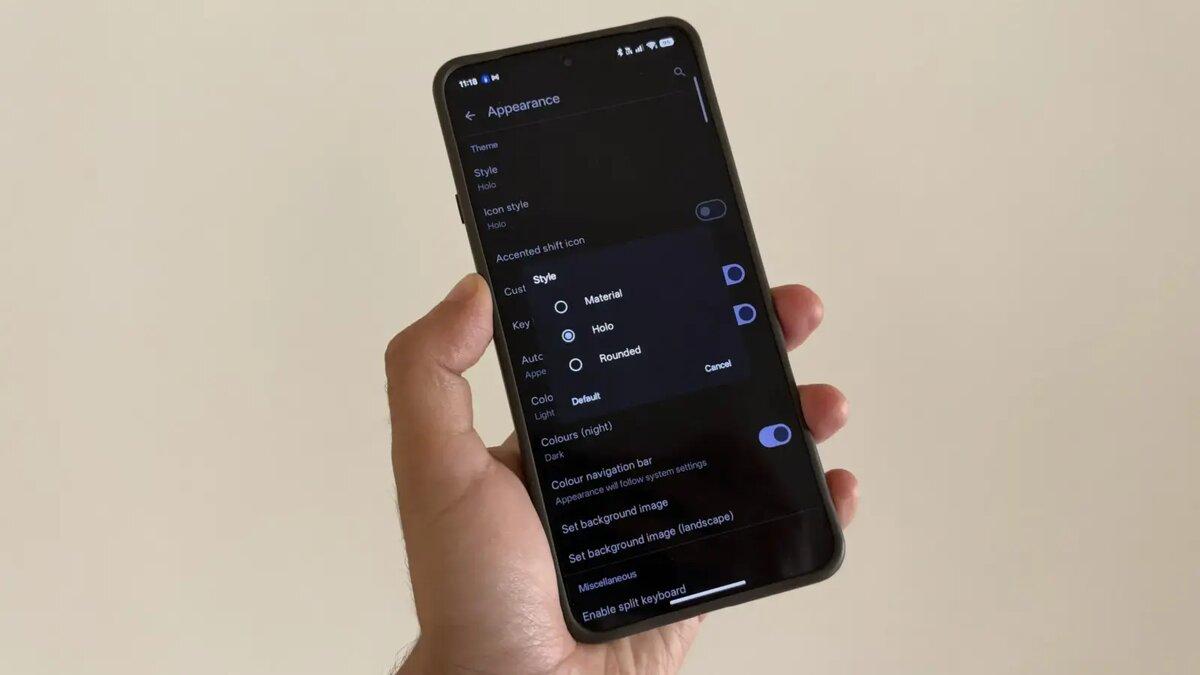
HeliBoard, a free open-source keyboard for Android, collects no user data and does not need an internet connection. It is not listed on Google Play, so users must install it another way. Android Authority's hands-on guide describes three routes: a direct download from GitHub, the Obtainium app, or F-Droid.
The pitch is privacy. Gboard and SwiftKey, made by Google and Microsoft, collect data as part of the deal, according to the guide's author. HeliBoard has no ads and no cloud-based processing.
How to install HeliBoard
The simplest option is to download the APK, the installer file for Android apps, from HeliBoard's official GitHub repository. Copy the latest release to your phone and install it like any other APK.
Obtainium suits people who want automatic update alerts. It is an open-source app that tracks releases from developers' official sources, including GitHub. Add HeliBoard's GitHub URL and it notifies you when a new version appears.
The third route is F-Droid, an alternative app store. After installing, open your phone's keyboard settings and set HeliBoard as the default.
What you get
HeliBoard is built on the AOSP keyboard, the base used by stock Android. It does not request internet access, so it cannot send typing history to a remote server.
Customization is extensive. You can adjust key heights, change layouts, tweak long-press behavior, build themes and use dynamic colors that match your wallpaper. It also supports clipboard history, one-handed typing, split layouts and multilingual typing.
Dictionaries for English, Spanish, French and German come built in. External dictionaries for other languages can be sideloaded.
What you give up
Predictive typing is the biggest compromise. HeliBoard relies on local dictionaries rather than Google's cloud language processing, and the author notes a noticeable drop in accuracy for fast typists used to Gboard.
The keyboard still learns your habits, but that history stays on the device. Switching phones means exporting and importing your data.
Google's one-tap voice typing is gone. Android's voice input still works, but takes more steps. Swipe typing needs extra setup: download a compatible library from GitHub, sideload it, then load it under advanced settings.
The author's verdict: none of these are dealbreakers, but they matter if you depend on Gboard or SwiftKey features.
 Take the quizWhat Kind of Holiday Spender Are You? Take the Black Friday QuizStart →
- 1Nasdaq Falls Into Correction as Buffett’s Crash Advice Resurfaces

- 2Dow Futures Jump 1.5% as Wall Street Tries to Rebound From Rout

- 3Stock Market Today: Dow, S&P 500 Futures Surge After Tech Rout as Oil Slides

- 4GTA 6 Metacritic User Score Falls Despite Near-Perfect Reviews

- 5Wests Tigers Allow Fainu Loan as Fogarty Talks Continue

 Lifestyle · Food & HealthCold vs Flu vs RSV: How to Tell the Difference by Symptoms, Speed and Duration
 LifestyleWhy Do Long Lines Make People Curious? 5 Reasons We Join the Crowd
 Technology · Apps & SoftwareHow to Secure a Home Wi-Fi Network: 7 Steps Cybersecurity Agencies Recommend
 Lifestyle · Food & HealthHigh Blood Pressure: Symptoms, Readings and 5 Ways to Lower It, Experts Say