Just Got Apple 4K? Turn On Two Apple TV Settings First
The new Apple TV 4K ships with Match Dynamic Range and Match Frame Rate switched off. Turning both on stops the box converting films to HDR and 50Hz, which can add judder. Here is where to find them and the one trade-off.
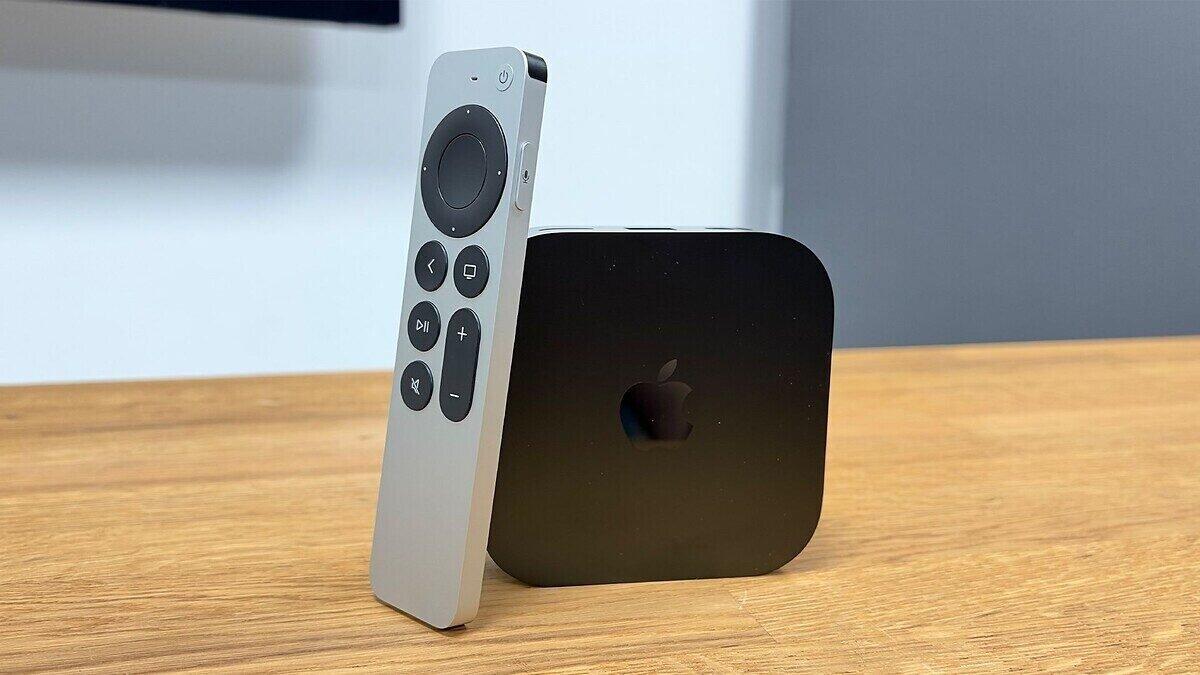
The new Apple TV 4K ships with two picture settings switched off, Match Dynamic Range and Match Frame Rate, and turning them on gives a more accurate picture, according to a setup guide published November 13, 2026. If you just got Apple 4K hardware in this box, the change takes under a minute.
The 2026 model arrives after a four-year wait. Reviewers have called the price rise hefty and the design overly familiar, but say picture and sound are better than before.
What the review found
A review of the 2026 Apple TV 4K singled out its handling of lower-quality video. It said the box's "upscaling of HD and SD content is particularly impressive". It also noted subtle gains with 4K and "more noticeable improvements to audio".
Setup is straightforward, and the box works almost perfectly out of the box thanks to good default settings. The two exceptions are the ones below.
Where to find the settings
Open Settings, then Video and Audio, then Match Content. Switch on both Match Dynamic Range and Match Frame Rate.
Both are off by default. That means the Apple TV sends everything to your TV using the dynamic range and frame rate chosen during setup, most likely HDR and 50Hz.
Why it matters
Say you play a non-HDR, 24fps film from a streaming service. With the settings off, the box converts it to HDR and 50Hz before it reaches your TV.
Converting standard dynamic range (SDR) content to HDR does not necessarily keep the filmmaker's intended look. Converting 24fps content to 50Hz can introduce what the guide calls "rather nasty judder".
With both settings on, the Apple TV outputs each title in its original SDR or HDR format and at its correct frame rate. The result is a more accurate picture and smoother motion.
The trade-off
The settings cause a brief black screen whenever you start content whose dynamic range or frame rate differs from the box's current output. The guide's author, Tom Parsons, the TV and AV editor at What Hi-Fi?, called that a small price to pay for anyone who cares about picture quality.
Parsons said that once both are changed, the Apple TV 4K is ready to deliver its best picture and sound.