Let Apple Watch Eavesdrop? Two-Week Test Finds It Mostly Mundane
A two-week beta test of Audio Intelligence on the Apple Watch Series 12 and Ultra 4 found Siri Recap useful in meetings and Live Rewind easy to forget. The features are opt-in, but nothing tells bystanders the watch is listening.
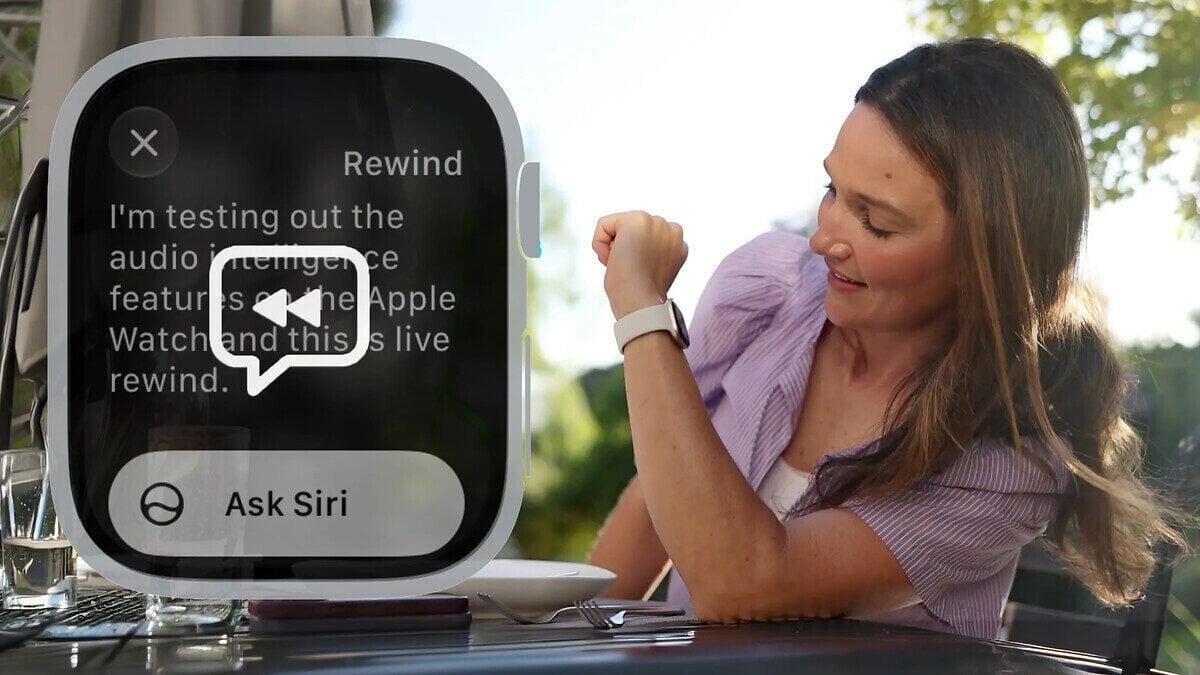
A reviewer who chose to let an Apple Watch eavesdrop on daily conversations for two weeks found the experience far less sinister than expected. The test covered Audio Intelligence, a feature set on the Apple Watch Series 12 and Apple Watch Ultra 4 that listens to speech and turns it into notes.
The verdict: useful in meetings, patchy in everyday life, and awkward for anyone standing nearby.
What Audio Intelligence does
Audio Intelligence has two parts. Siri Recap summarizes what you discussed during the day. Live Rewind gives you a transcript of the last 15 seconds of audio, in case you missed something.
It resembles AI recording pins such as Plaud or Amazon's Bee, but it runs on a smartwatch and carries no extra cost or subscription.
The tester ran it on the WatchOS 27.3 public beta, along with the matching iOS beta. Apple says the final version will reach the public later this year, so the tester called the test a sneak preview.
Opt-in, with reminders
Nothing runs by default. Users must opt in first, then switch on the specific feature they want. They can leave it on all day, set a schedule or toggle it by hand. The watch sends reminders that it is still listening or that recaps are waiting.
That control eased the tester's unease. Bystanders get no such comfort. Beyond a barely audible chime when you double-click the Digital Crown to start Live Rewind, nothing alerts people in earshot. Smart glasses, by contrast, have an indicator light on the front when they record video.
Apple has built privacy safeguards into how the audio is processed and then deleted, according to the reviewer's separate FAQ on the feature.
Live Rewind: easy to forget
Live Rewind barely earned a place in daily use. The tester had to go out of the way to remember it existed. Asking someone to repeat themselves was simply faster than double-pressing the Digital Crown at the right moment.
Fifteen seconds also passed quicker than expected. By the time the tester realized something was worth revisiting, the speaker had moved on, and the capture was either missing the point or just silence. The tester can see it working better during a presentation or event.
Siri Recap: good at meetings
Siri Recap fared better, though results were hit or miss. It gives high-level summaries only. It offers no transcript to review and does not identify who said what. It works best when there is one conversation to follow, not a jumble of unrelated chatter.
One success came during a live YouTube test of a folding iPhone. The tester was moderating the chat while a colleague answered viewer questions on the stream. Siri Recap surfaced details the tester had missed while typing, including that "Opening a phone 20 times daily over 10 years equals 73,000 folds."
The recap was not always that accurate.
 Take the quizWhat Kind of Holiday Spender Are You? Take the Black Friday QuizStart →
- 1Column: 4 Reasons to Eat Dark Chocolate, Dietitians Say

- 2Mavericks Surfers Race to California for Waves Near 50 Feet

- 3Chrissie Swan, 52, Tears Up Over Secret Surprise While Recovering

- 4Meghan Markle Plans US Return to See Mother After Father’s Arrest

- 5NYC Medical Examiner Has Not Determined Cause of Death of Beau Rose Jessup

 Lifestyle7 Signs Your Social Battery Is Running Low (and Why You Keep Cancelling Plans)
 Lifestyle · Food & HealthThanksgiving Food Safety: How Long Leftovers Last and the Safe Turkey Temperature
 Lifestyle7 Quiet Habits of Emotionally Intelligent People, According to Psychologists
 LifestylePeople Who Don’t Like Celebrating Their Birthday Often Share These 7 Traits