How to Check iPhone iBox vs Distributor: 5 Anti-Scam Steps
Learn how to check iPhone iBox vs distributor units so you can spot official warranty, IMEI status, and avoid costly mistakes.
JAKARTA — The How to Check iPhone iBox vs Distributor: 5 Anti-Scam Steps guide matters because a cheaper iPhone in Indonesia can come with a much weaker warranty, and that gap is now large enough to tempt buyers into a bad deal. As of May 2026, the price difference between an iBox unit and a distributor unit can reach Rp1-2 million.
That gap is not just about price tags. A distributor iPhone with an IMEI registered at Kemenperin can still work normally, but if the phone breaks, the buyer may have to rely on a store warranty instead of Apple Indonesia coverage. Parts can be non-original. Repair terms can be messy.
Why the iPhone iBox check matters now
The market has shifted again. The iPhone 17 series has climbed in price since early 2026, while the iPhone 16 has fallen by around Rp500,000. The 256GB iPhone 16 now sells for Rp16,499,000 at iBox, and the gap between the 256GB iPhone 17 and the 256GB iPhone 16 has narrowed to Rp780,000.
That leaves buyers in a tricky spot. Some shoppers move to distributor units to save money. Others stick with official channels because the warranty and after-sales support are easier to trust. One small mistake. Big bill later.
Two product paths now sit side by side in the market. iBox, also called Telegaransi, is distributed officially by Erajaya Group and comes with Apple Indonesia warranty. A distributor iPhone has its IMEI registered, but warranty handling sits with the store or a general distributor, not Apple directly.
Step 1: Check the IMEI on Kemenperin
Start at imei.kemenperin.go.id. Enter the 15-digit IMEI, which you can find in Settings > General > About. If the result says “IMEI Terdaftar,” the device has been recorded for use in Indonesia and has passed the tax and customs side of the process.
But that is not the full story. Registered with Kemenperin does not automatically mean iBox. A distributor can register the IMEI too. So this check tells you the phone is legal for use. It does not tell you who backs the warranty.
Step 2: Verify the warranty with Apple
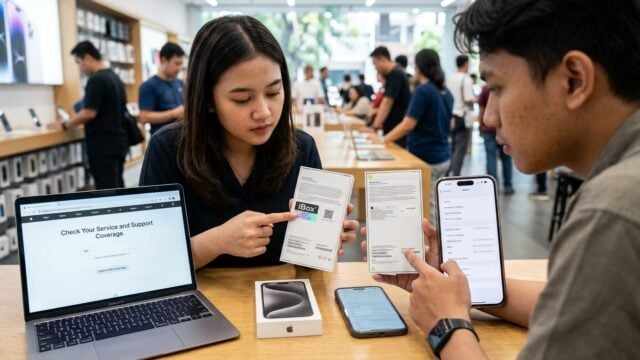
Open checkcoverage.apple.com and enter the serial number along with the verification code. An official iBox iPhone should show “Apple Limited Warranty” and “Service and Support Coverage: Active.” That means the one-year Apple warranty is running from first activation.
A distributor unit often shows “Purchase Date not Validated” or a store warranty instead. That difference matters when the screen cracks or the battery starts failing. With Apple coverage, the process is cleaner. With a store warranty, the buyer may be pushed back and forth.
Step 3: Inspect the box and accessories
iBox units usually carry details that are hard to fake at first glance. Look for an IMEI sticker with an Erajaya barcode on the box, a flat three-pin charger suited to Indonesian outlets, and an instruction booklet in Indonesian. The retail price should also follow iBox SRP.
For example, the 256GB iPhone 17 was listed at Rp17,279,040 on May 25, 2026. A distributor unit often comes with a two-round-pin charger in U.S. or European style, a plainer box, and a price that sits Rp1-2 million below SRP. If a 256GB iPhone 17 is offered at Rp15 million, that deserves a hard look.
Step 4: Check the model code and device condition
On the phone itself, go to Settings > General > About and check the model code. A PA/A or ID/A code points to a unit officially sold for Indonesia. LL/A is a U.S. unit, while ZP/A comes from Singapore.
If the seller allows a laptop check, use 3uTools to see the battery cycle count. A brand-new iPhone should show 0-3 cycles. A much higher count can signal a refurbished unit sold as new. Face ID that fails or True Tone that does not work can also point to earlier repairs or non-original parts. Short check. Real money saver.
Step 5: Buy from a seller you can hold accountable
Buy from iBox Store, Digimap as an official Apple Premium Reseller, Blibli Official Store with the “Official iBox” label, or Apple Store Online Indonesia if you want the cleanest route. These sellers offer units with Apple warranty and prices that follow SRP.
Walk away from prices that look too low without a clear explanation of the unit’s origin. A bargain can turn ugly if the IMEI is not registered or the seller disappears after the payment clears. That risk is higher than many buyers expect.
For shoppers trying to avoid trouble, the safest sequence is simple: check the IMEI, verify Apple coverage, inspect the box, confirm the model code, and only then pay. On a flagship phone that costs more than Rp16 million, those few minutes can decide whether you save money or buy a problem.