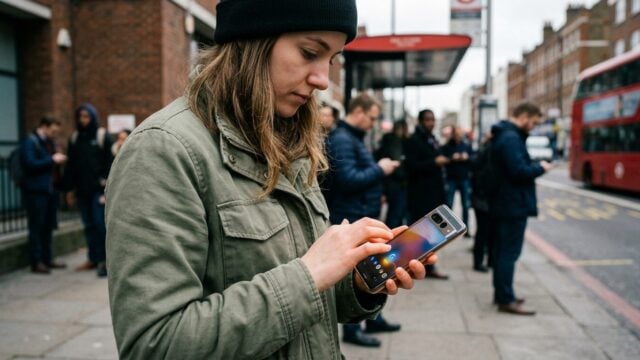
How to Check Weather on Your Phone in 3 Accurate Apps
How to check weather on your phone with BMKG, AccuWeather, and alerts that help you avoid sudden rain in Palembang.
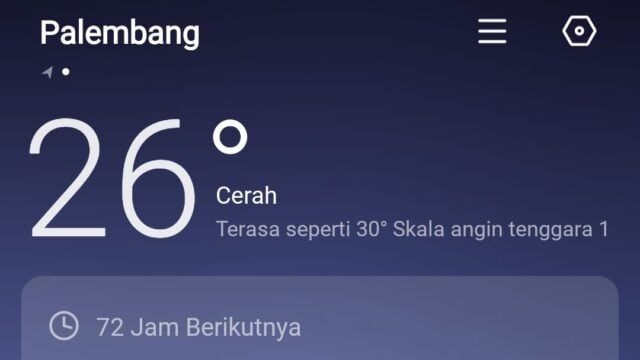
PALEMBANG, JOURNALARTA.COM — How to Check Weather on Your Phone: 3 Accurate Apps + Early Alerts is now a practical habit for Palembang residents who keep getting surprised by short, heavy rain. One app can show BMKG’s forecast in real time on Android or iPhone, and that matters when the sky can turn fast.
Palembang’s weather has been erratic lately. Rain can hit for ten minutes, then the sun comes back hard. Plans slip. Laundry gets soaked. Outdoor events get messy.
Why checking weather on your phone matters
For commuters, travelers, and field workers, a few hours can change everything. A trip to Pulau Kemaro, an outdoor meeting, or even hanging clothes at home needs current weather data, not a guess based on clouds outside the window.
BMKG issues forecasts down to the subdistrict level. That gives users local information instead of a broad provincial picture. It is a small difference that makes a big one. Especially when the rain arrives early.
That is also why phone-based alerts have become useful beyond simple convenience. They help people move sooner, leave later, or switch plans before the weather turns bad.
Three apps and tools worth using
1. Info BMKG. This is the official app from Indonesia’s Meteorology, Climatology, and Geophysics Agency. It offers a seven-day forecast by subdistrict, early warnings for all provinces, PM2.5 air quality data, UV index readings, and event weather updates. The app is free, has no ads, and supports voice commands. Users can find it in the Play Store by searching for “Info BMKG.”
2. AccuWeather. The app is widely used around the world and includes a MinuteCast feature that breaks down rain forecasts minute by minute for the next two hours. That makes it useful for people trying to time a commute or a short outing. It also shows satellite imagery and animated radar. The free version, though, still carries ads.
3. BMKG website. If you do not want another app on your phone, open weather.bmkg.go.id in a mobile browser. The site includes menus for General, Aviation, Warnings, and Tourism. It works well for a quick check before heading out.
How to turn on early alerts
An app only helps if alerts are switched on. In Info BMKG, users should open the Weather Early Warning menu and set Palembang as their location.
Then come the phone settings. Open Settings, tap Apps, find Info BMKG, and allow notifications. After that, the phone can send an alert when BMKG issues a warning such as heavy rain accompanied by lightning at 3:00 p.m.
Widgets also help. Press and hold the home screen, choose Widget, then add the 4x2 Info BMKG widget. The temperature and conditions appear right away without opening the app. For people who prefer voice, the phone can respond to a simple command like, “Palembang weather today.”
How to read weather data correctly
Many users misread weather percentages. A 70 percent chance of rain does not mean 70 percent of an area will flood. It means rain is likely at your location.
The UV index matters too. When it reaches 8 or higher, skin can burn fast, so sunscreen becomes a smart move before stepping out.
PM2.5 readings matter for people who spend time outdoors. If the status turns unhealthy, an N95 mask is a more practical choice than hoping the air clears by itself. And for trips across the water to Pulau Kemaro, marine weather and wave height should be checked before leaving the dock.
What this changes for users
The real impact is simple: phone weather checks reduce wasted trips, soaked clothes, and last-minute cancellations. For workers on the road, one alert can mean leaving 20 minutes earlier or delaying a delivery before traffic and rain stack up.
For households, it is about timing. Drying laundry, sending children out, or planning a short market run all becomes easier when the forecast arrives before the first drops fall. Info BMKG gives the strongest local data for Indonesia, while AccuWeather offers sharper minute-by-minute rain timing. The BMKG website stays useful when storage is tight or the app is not installed. One number still stands out: Info BMKG gives a seven-day forecast by subdistrict.